Showing posts with label HTML. Show all posts

Thursday, April 8, 2010

E-mail

Syntax:


(click image to view)


Mail Form


(click image to view)

(click image to view)

Here is the description about the codes above:
  • First, check if the email input field is filled out.
  • If it is not set (like when the page is first visited), it will output the HTML form.
  • If it is set (after the form is filled out), it will send the email from the form.
  • When submit is pressed after the form is filled out, the page reloads, sees that the email input is set, and sends the email.


How to make the email form more secure?

Click Here

Wednesday, April 7, 2010

Uploading File

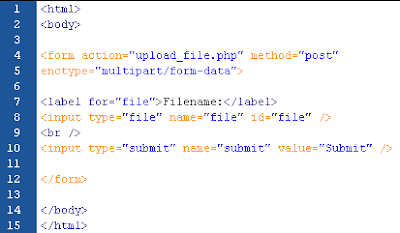
Form to Upload File

See the example below:


(click image to view)

Here is the description about the HTML code above:
  • The enctype attribute of the form tag specifies which content type to use when submitting a form.
  • "multipart/form-data" is used when a form requires binary data, like the contents of a file, to be uploaded.
  • The type="file" attribute of the input tag specifies that the input should be processed as a file.


Script for Uploading File

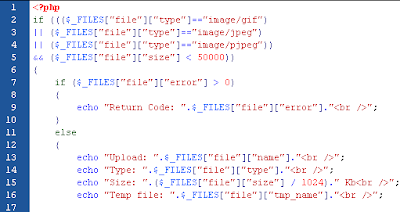
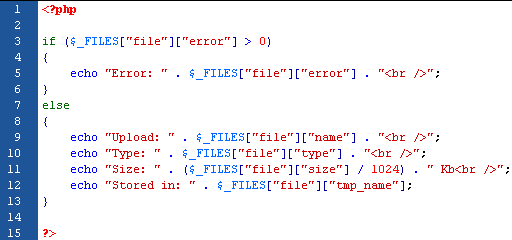
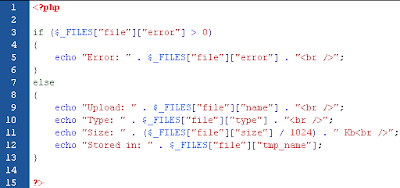
The "upload_file.php" file above contains the code for uploading a file:

(click image to view)

The description about the code above:
  • $_FILES["file"]["name"] - the name of the uploaded file.
  • $_FILES["file"]["type"] - the type of the uploaded file.
  • $_FILES["file"]["size"] - the size in bytes of the uploaded file.
  • $_FILES["file"]["tmp_name"] - the name of the temporary copy of the file stored on the server.
  • $_FILES["file"]["error"] - the error code resulting from the file upload.


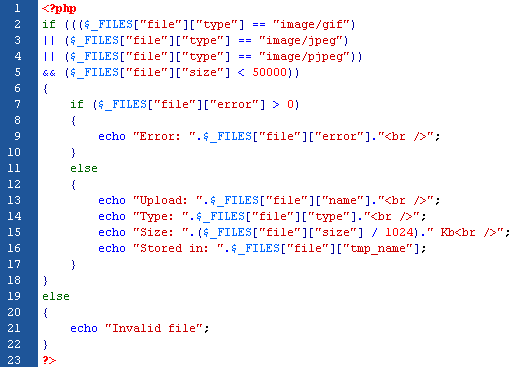
Restrictions on Upload

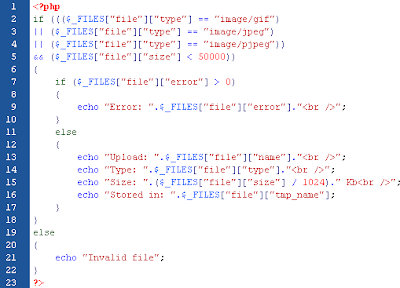
In the script below, we can try to add some restrictions to the file upload by just uploading .gif or .jpeg files and the file size must be under 50 kb:

(click image to view)


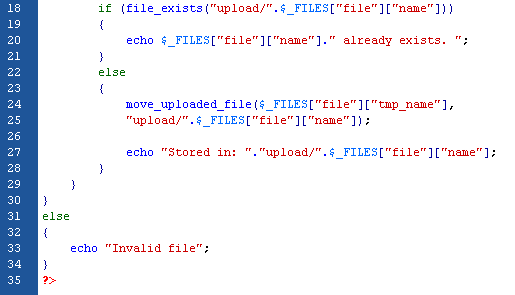
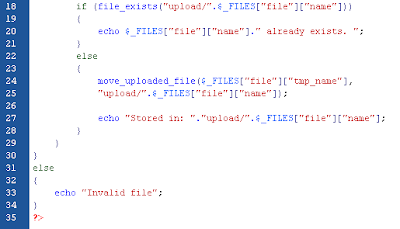
Saving the Uploaded File


(click image to view)

(click image to view)
Sunday, April 4, 2010

Forms and User Input

The example below shows an HTML form with 2 input fields and a submit button:


(click image to view)

When a user fills outthe form and click on the submit button, the data is sent to a "myBiodata.php" file:


(click image to view)

############################################################
The Output:

My name is Razak
I am 24 years old.
############################################################

Saturday, April 3, 2010

Syntax


Basic PHP Syntax


The scripting block can be placed anywhere in the document. The PHP file normally contains HTML tags. Each code line in PHP must end with a semicolon ";". For instances:


(click image to view)

*Note: The file you created must have a .php extension at the end of the file name.


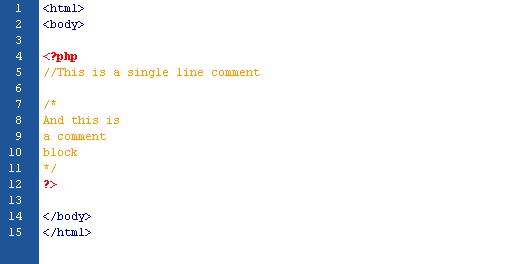
Comments in PHP


(click image to view)